
Your own baseline, quietly.
VagusSense estimates, from the heart data your Apple Watch writes to Health, how far your autonomic balance today sits from your own normal range. The comparison is with you and nobody else, drawn from your own last 28 days.
A wellness signal, not a medical measurement.
Coming to TestFlight and the App Store · What happens to your data
The app's interface is currently German. This page is the English version of the German site.
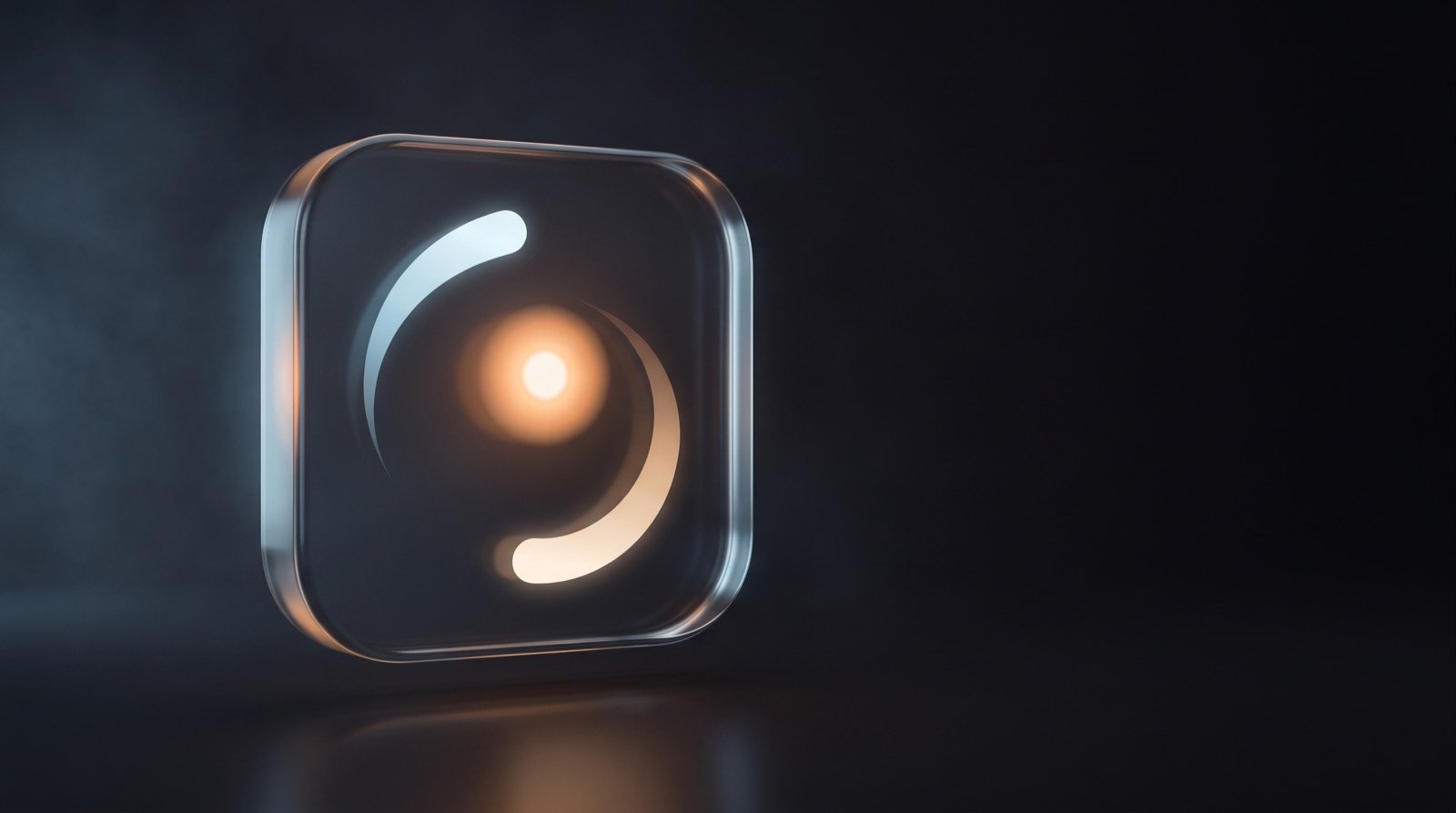
What it is
A quiet instrument, not a verdict.
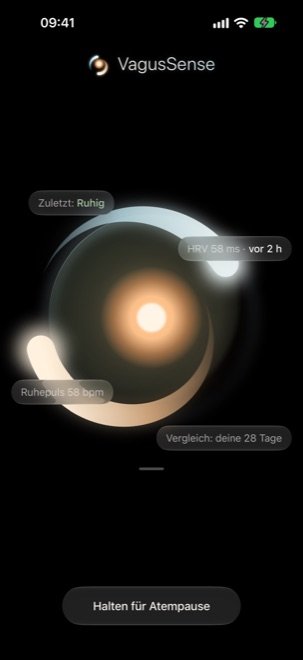
VagusSense tells you in words where you are today — and always, next to it, how old the reading is. A state without its age appears nowhere in this app.
- Sehr ruhig — deeply settled
- Ruhig — settled
- Typisch für dich — typical for you
- Erhöht — elevated
- Deutlich erhöht — strongly elevated
- Nicht genug Daten — not enough data
-
Your raw values, with units
HRV (SDNN) in milliseconds and your resting heart rate in bpm. No score, no points — a number without a unit is a claim.
The Apple Watch times beats optically at the wrist, not with an ECG. At rest the two agree well; they diverge with movement and under strain.
-
Your day as a trace
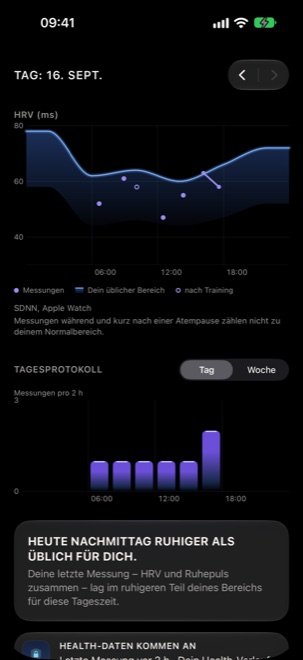
Single readings drawn against your usual range for that time of day, scrubbable with your finger.
-
No comparison with others
No points, no leaderboard, no streak that a missed day breaks. You are the only yardstick.
How it works
Learn first, speak later.
-
01
Your own baseline
Your last 28 days form your normal range — for HRV also matched to the time of day, because your mornings do not read like your evenings.
-
02
A state in words
Every reading is read against that range and shown as a word, together with its age. The state changes rarely, and never abruptly.
-
03
Honest when there is nothing to say
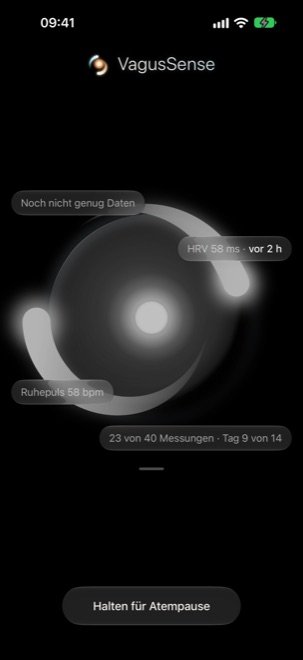
While the data is not enough, the app says so and shows the progress — no guessed state, no placeholder value.
The first two weeks
VagusSense invents nothing while it knows nothing. The first estimate needs around 40 readings, spread over at least 14 days and at least 10 distinct days, plus a resting heart rate on at least 7 days. All four conditions must hold at once; many readings on a few days are not a baseline.
Until then you see your raw values and the progress («23 von 40 Messungen · Tag 9 von 14»), but no state. Your Apple Watch samples heart rate variability irregularly, usually a handful of times a day — that is normal, not a fault.
The breathing pause
Four seconds in, six seconds out.
About six breaths per minute. One minute by default on iPhone, iPad and the watch, three on the Mac; three and five minutes are available everywhere. The form breathes with you, the iPhone carries the rhythm as a gentle vibration, the Apple Watch as a tap on your wrist.
- The pause measures nothing. It only sets the rhythm.
- What a single pause does to your readings is not shown: the Apple Watch measures too rarely and too irregularly for that.
- What is recorded is that you took the pause — nothing else.
- Readings that fall inside a VagusSense breathing pause are deliberately kept out of your normal range, because slow breathing raises HRV mechanically.
Breathe gently, not deeply. If you feel light-headed, stop and breathe normally.
On your devices
One state, the same everywhere.
-
iPhone and iPad
The stage with your latest state, the breathing pause and your day. On iPad, two columns in landscape — state and history side by side.
-
Mac
A menu bar item that pulses quietly in the breathing rhythm during a pause — and all day if you want it to. Plus a compact window with your latest state and, if you switch it on, your working day next to your readings. Things that coincide need not be connected, and the app says so on that very screen.
-
Apple Watch
Your latest state on your wrist, the breathing pause with wrist taps, and complications for your watch faces. The watch shows what your iPhone computed; it measures nothing and computes nothing.
-
Widgets and shortcuts
Home Screen and Lock Screen widgets with a breathing pause one tap away, a Live Activity and Dynamic Island while a pause runs, plus Control Center and Shortcuts.
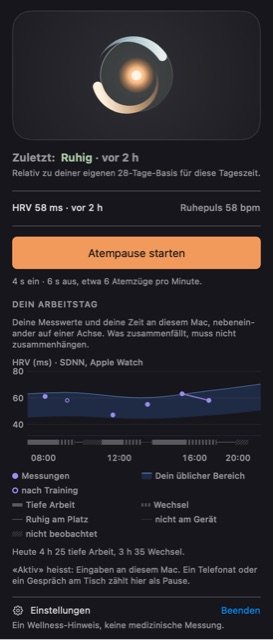
The working day on the Mac
On by default, the Mac puts your readings and your time at this device side by side — on one axis, not in a verdict. What it keeps, per five minutes, are coarse shapes of work: how often you switched apps and what kind of work was in front. Never window titles, never keystrokes, never app names.
Like the other computed rows, these windows sync through your own private iCloud. It can be switched off at any time in the Mac settings; switching it off stops the recording but deletes nothing. The windows are deleted after 90 days.
Privacy
In plain words.
The analysis happens on your device. Your Health history stays on your iPhone. Only the computed readings — together with the HRV, resting heart rate and temperature values they came from — and the times of your breathing pauses sync through your own private iCloud. Nothing goes to us.
- No ads, no analytics libraries, no account.
- No third-party SDK in the binary and no network code of our own.
- Nothing is written back to Apple Health.
- This website sets no cookies, loads nothing from other servers and counts no visitors.
Download
Not available yet.
Coming to TestFlight / the App Store
Requirements: an iPhone with iOS 26; an Apple Watch with watchOS 26 that writes heart rate variability and resting heart rate to Health; an iPad with iPadOS 26; a Mac with macOS 26. [PLACEHOLDER: availability of the Mac app — separate upload, see app-store-texte.md § 8.1] The link will appear here as soon as the beta is open. Questions before that: Support.